- Product Updates
- Posts
- [Feature Update] 🌟 Finally a Search Bar + Mobile Program Management
[Feature Update] 🌟 Finally a Search Bar + Mobile Program Management
Universal Search, Mobile Admin, Home Screen App

Mica 🔷 Referral Rock
March 19, 2026 • Estimated Reading Time: 3 minutes
Hey it's Mica,
Most of the time when you need to look something up in your referral program, it's not planned. A customer emails about a reward. A team member asks about a referral. You need a quick answer.
Let's be honest, those lookups took more clicks than they should have. And doing any of it on your phone? Not great.
Now, it’s a lot better with these 3 new features:
Universal Search - find any member or referral from any page, across all programs
Mobile Admin Homepage - manage your program from your phone with one-tap actions and at-a-glance stats
Home Screen App - open Referral Rock like an app with one tap from your phone
Let's dive in. 👇👇
-Mica
Head of Operations
🔍 Find any member or referral in seconds
Before this update, looking someone up meant going to the Members or Referrals list page and using the table search or filters. If you weren't sure whether someone was a member or a referral, you'd search one list, not find them, then switch to the other and search again. It added up, especially when you're on a call or trying to answer a quick question.
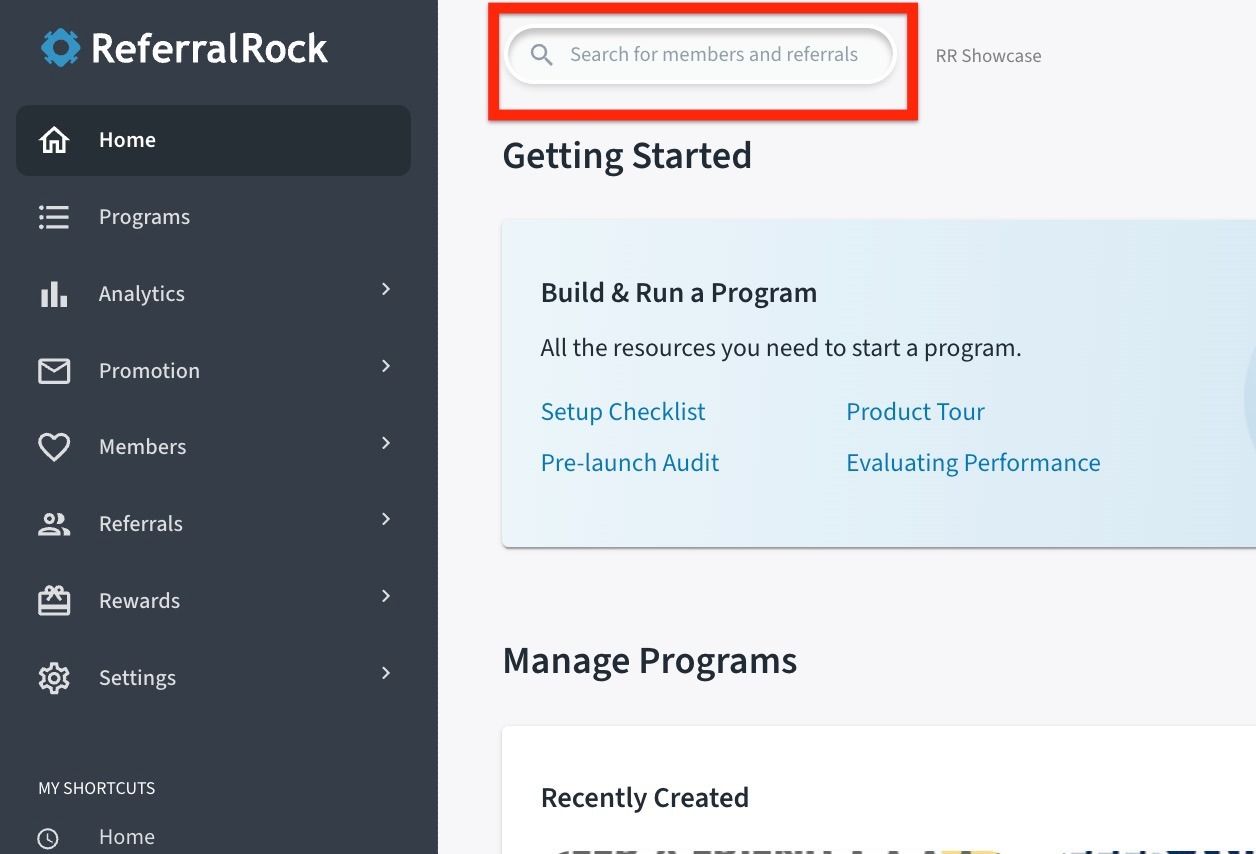
Now you can find anyone from any page. There's a search bar at the top of every page in the admin.
A member emails asking about a referral. You search the friend's name, see the record, and reply in under a minute. That member just had a great experience with your program.
Type a name or email. Results from all your programs appear as you type, showing name, email, member or referral status, and which program they belong to.
Click a result. The record opens in a detail drawer over your current page. You never navigate away.
Take action and close. Check a status, review referral history, or issue a reward. Close the drawer and you're right back where you were.
No switching between list pages. No guessing whether someone is a member or referral. One search from any page covers everything.
🌐 Manage your program on the go
The admin experience always worked on mobile, but you were still scrolling through full-sized pages and tapping small buttons to do something that should take two seconds.
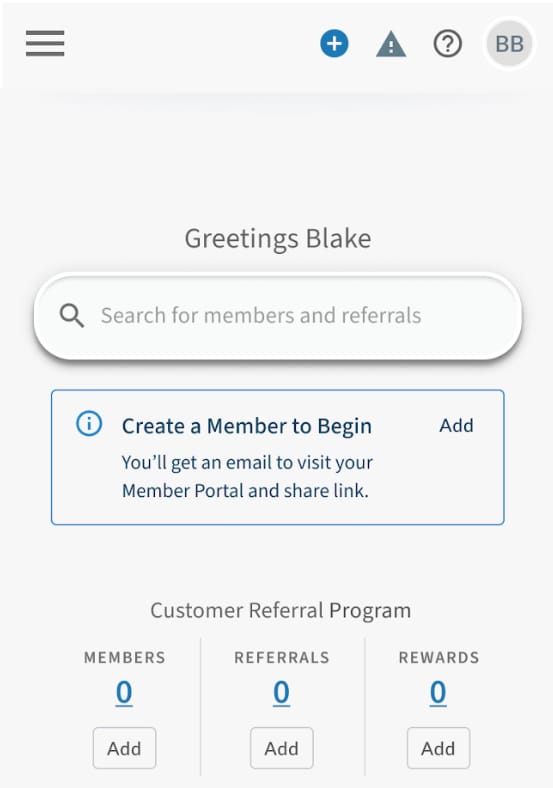
Now when you log in on your phone, you get a homepage built specifically for mobile. Quick actions, program stats, and search are all designed for a small screen.
Manage members, referrals, and rewards. Need to update a status, change a property, issue a reward? All that day-to-day program management can be done easily anytime.
Add a member, referral, or reward in one tap. The three quick actions, right on the homepage. At an event and someone wants to join your program? Add them on the spot.
Search from your phone. Same universal search as desktop. Look up any member or referral, open the record, get the answer. Works the same on a small screen
See your numbers. Member, referral, and reward counts for each active program at a glance. Check how things are performing between meetings or on the go, so you always know where things stand.
Sorry no program edits - You won’t be able to make any edits to your program setup on your mobile device. This is intentional. We only display active programs and day-to-day program management features. We prioritized keeping the experience clutter free and focused.
🏠 Add to your phone’s home screen
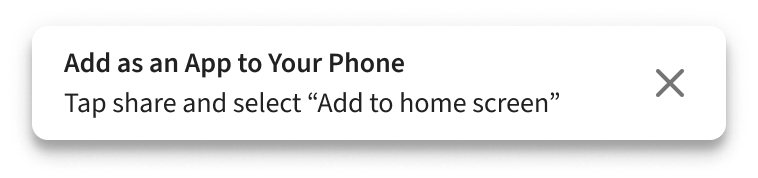
With the new mobile homepage, you’ll want your referral program one tap away. Add Referral Rock to your phone's home screen so it opens like a native app, no app store required.
Android: You'll see a one-tap install prompt when you open the site in Chrome
iOS: Open the site in Safari or Chrome and follow the guided instructions to add it to your home screen
Once installed, Referral Rock opens full-screen and launches faster. You tap an icon and you're in.
⏮ And in case you missed it…
Here are some more recent posts from our team that you may have missed!


